
Note:
-
This setting is part of the Waiting Area configuration. Click here to learn more about the Waiting Area.
-
To change this setting, you must be the account Owner or Administrator.
How to turn on or off the sound notification when the host joins
- Log in to your Coviu account as you normally would.
- Scroll down on the left side menu of the Dashboard and click Configure (if you can't see the Configure button, then you are not the account Administrator).
- Click the arrow button to the right of the tabs to find the Waiting Area tab. Click Waiting Area.
- Under General configuration, find the Enable Sound Notification When the Host Joins toggle.
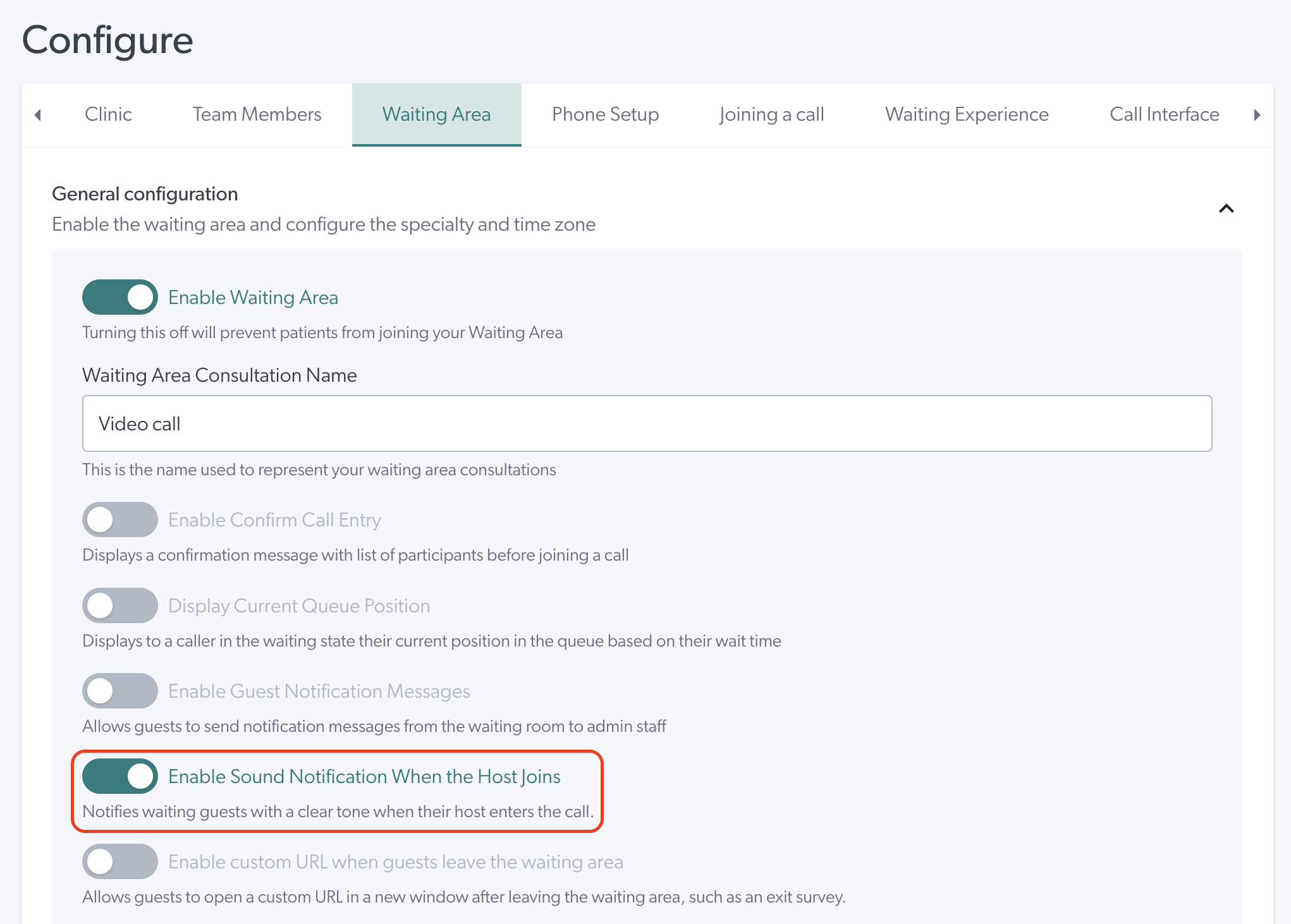
- Toggle it to the on position to enable the notification, or to the off position to disable it. When enabled, waiting guests will hear a clear tone as soon as their host joins the call.
- Scroll down and click Save to keep your changes.