
If you're currently on a Coviu trial or your trial has recently expired, you can easily upgrade to a paid plan directly from your account.
This guide will walk you through the steps depending on your trial status.
On This Page:
Active Trial Account
If your trial is still active, you can upgrade at any time by following these steps:
-
Sign in to your Coviu account.
-
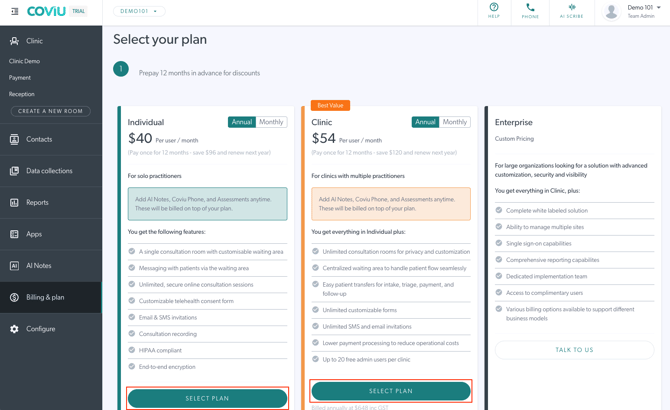
Go to Billing & Plan.
-
Click Select Plan on your preferred subscription.
-
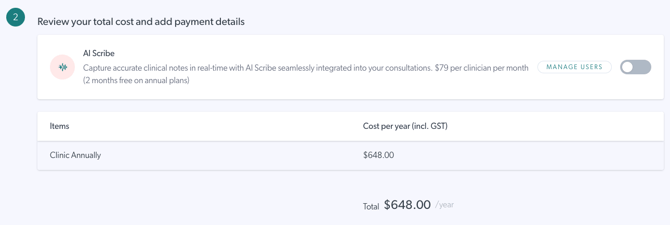
Review the total cost of your selected plan.
-
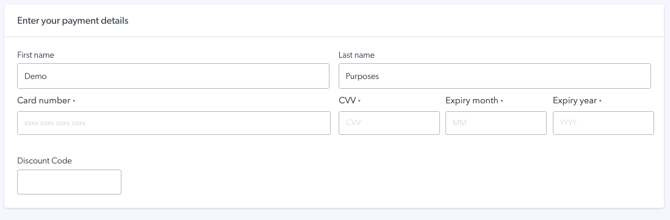
Enter your payment details.
-
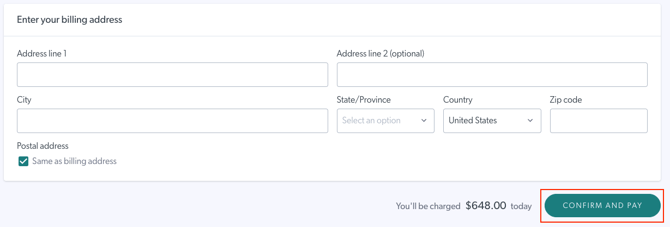
Enter your billing address.
-
Click Confirm and Pay to complete your subscription.
Your new plan will take effect immediately.
Expired Trial Account
If your trial has already expired, follow these steps to reactivate your clinic and subscribe to a plan:
- Sign in to your Coviu account.
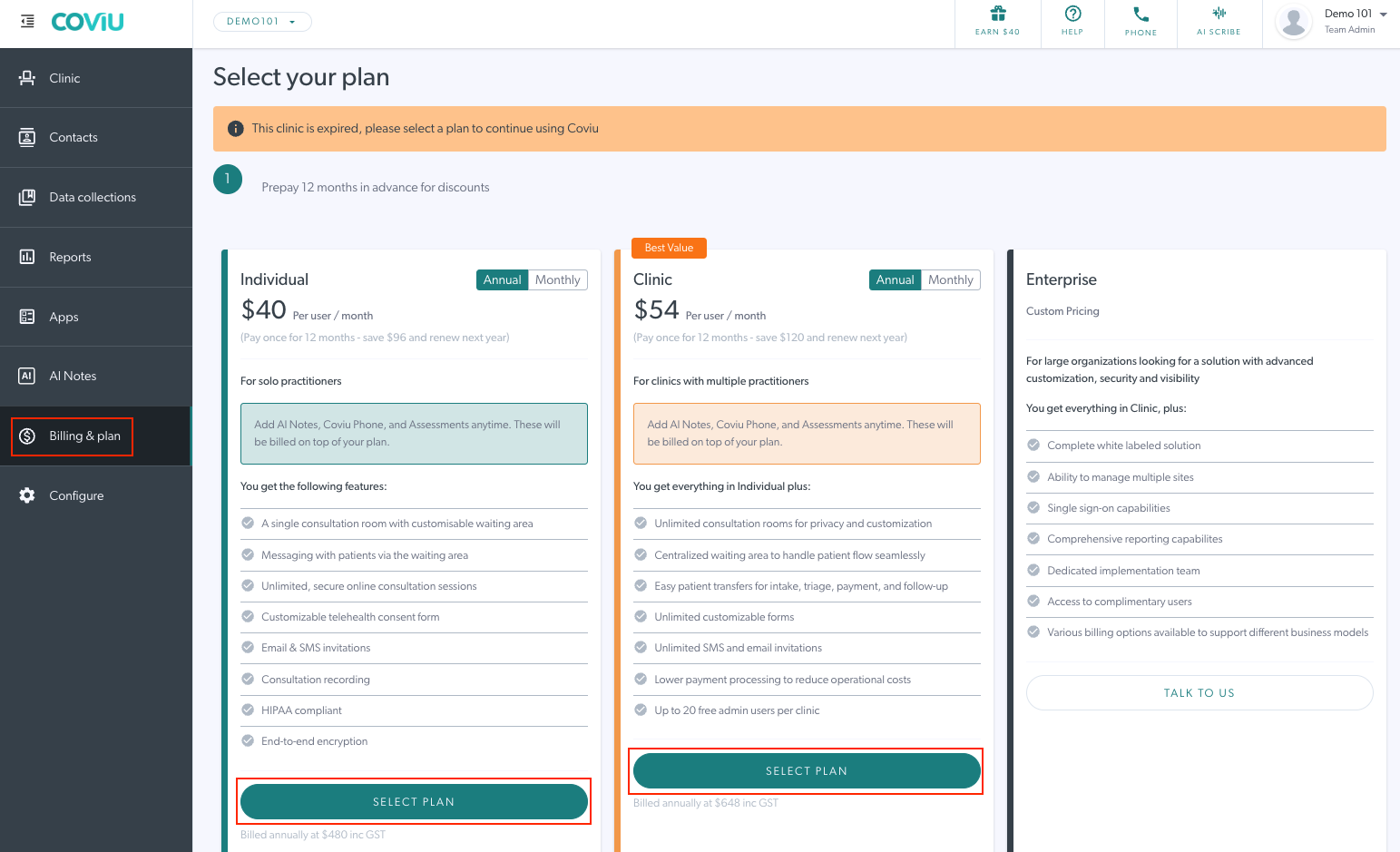
- You will be redirected to the Billing & Plan page.
-
Click Select Plan on your preferred subscription.
-
Review the total cost of your selected plan.
-
Enter your payment details.
-
Enter your billing address.
-
Click Confirm and Pay to complete your subscription.
-
Once completed, your clinic will be reactivated with your selected plan.