
Runsheet allows you to quickly add daily appointments in Coviu and automatically send SMS reminders to patients before their session.
By entering a patient’s mobile number and appointment time, Coviu will send a reminder message with a link to join the waiting area — helping reduce no-shows and saving time on manual follow-ups.
Runsheet is available on Individual and Clinic plans.
On This Page:
How to access Runsheet
-
From the Coviu dashboard, click Clinic in the top-left menu.
-
The runsheet will appear above your waiting area overview.
-
Click SMS Reminder.
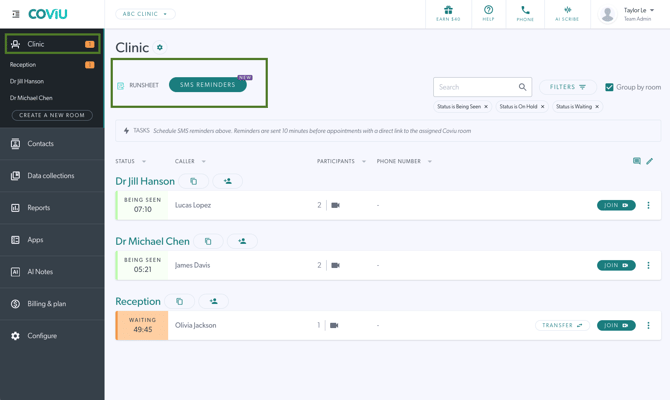
How to add a Runsheet entry
-
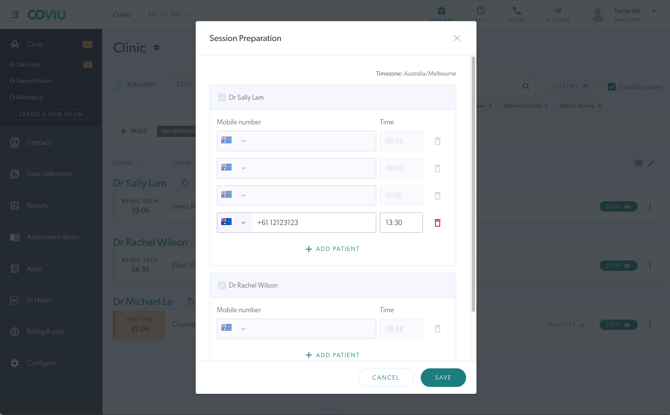
After clicking "SMS Reminders" a module will appear to enter your patient's mobile number.
-
Enter the appointment start time.
-
Click Save.
An SMS reminder will automatically be sent 10 minutes before the appointment time, including a link to the Coviu room the entry was entered under.
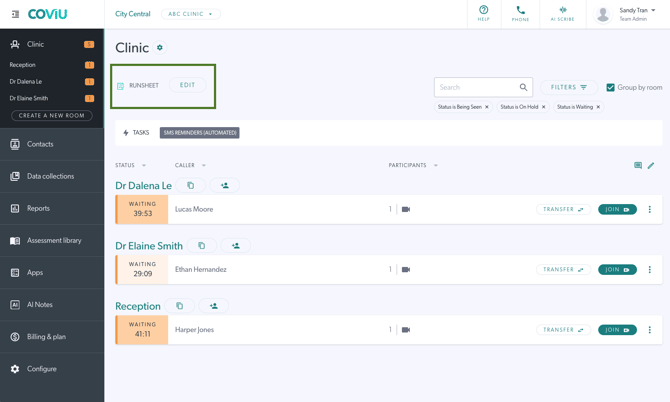
How to edit or remove a Runsheet entry
Changes must be made more than 10 minutes before the appointment time.
-
Click Edit.
-
Update or delete the entry as needed.
Appointment Statuses
Runsheet uses appointment statuses to help manage daily sessions and SMS reminders.
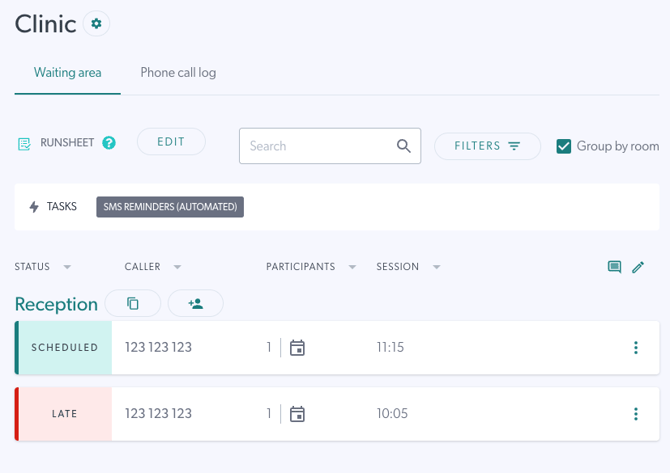
Scheduled
Appointments with the Scheduled status are treated as upcoming appointments and will appear in the Runsheet with their scheduled call information.
Late
Appointments marked as Late remain visible in the Runsheet to help administrators keep track of delayed or missed participants.
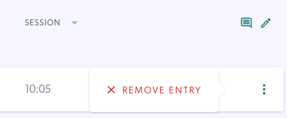
Administrators can also manually remove “late entries” for no-shows to help manage and maintain the daily Runsheet state.
Additional Notes
- If a contact has multiple associated phone numbers, only the phone number will be displayed in the Runsheet.
- Contacts with unique phone numbers will display their saved contact name.
FAQs
Is Runsheet a scheduling system?
No. Runsheet works alongside your existing PMS/EHR and is designed for reminders and daily workflow, not full scheduling.
Can patients reply to the SMS?
No, SMS messages are one-way only.
Can I cancel or change a scheduled SMS?
Yes. Editing or deleting a Runsheet entry will update or cancel the SMS, as long as changes are made more than 10 minutes before the appointment time.
Can I prepare a Runsheet in advance?
Not yet. Runsheet currently supports same-day appointment management only.
Can I edit the SMS message?
No, the SMS content is fixed.
Example message:
“Your appointment with [Clinic Name] is coming up. Join the waiting area here: [link]”
How can I confirm an SMS was sent?
Once an SMS is sent, the Runsheet entry becomes locked and cannot be edited.
How much does Runsheet cost?
Runsheet is included at no additional cost on Individual and Clinic plans. SMS reminders are included on paid plans.